I had a simple problem on my own profile: too many old videos and no desire to repeat the same sequence hundreds of times. That became FixMyTok, an iPhone and iPad app for cleaning up a TikTok account in bulk.
TikTok lets you delete one video at a time. You open it, choose the action, confirm, and return to start again. That is manageable for five videos. It is a poor plan for five hundred.
FixMyTok reads the account catalogue first. You can then filter by date, visibility, or a word in the caption, select multiple videos, and confirm once. “Select All” applies only to the filtered results, so the confirmation shows the exact batch size.
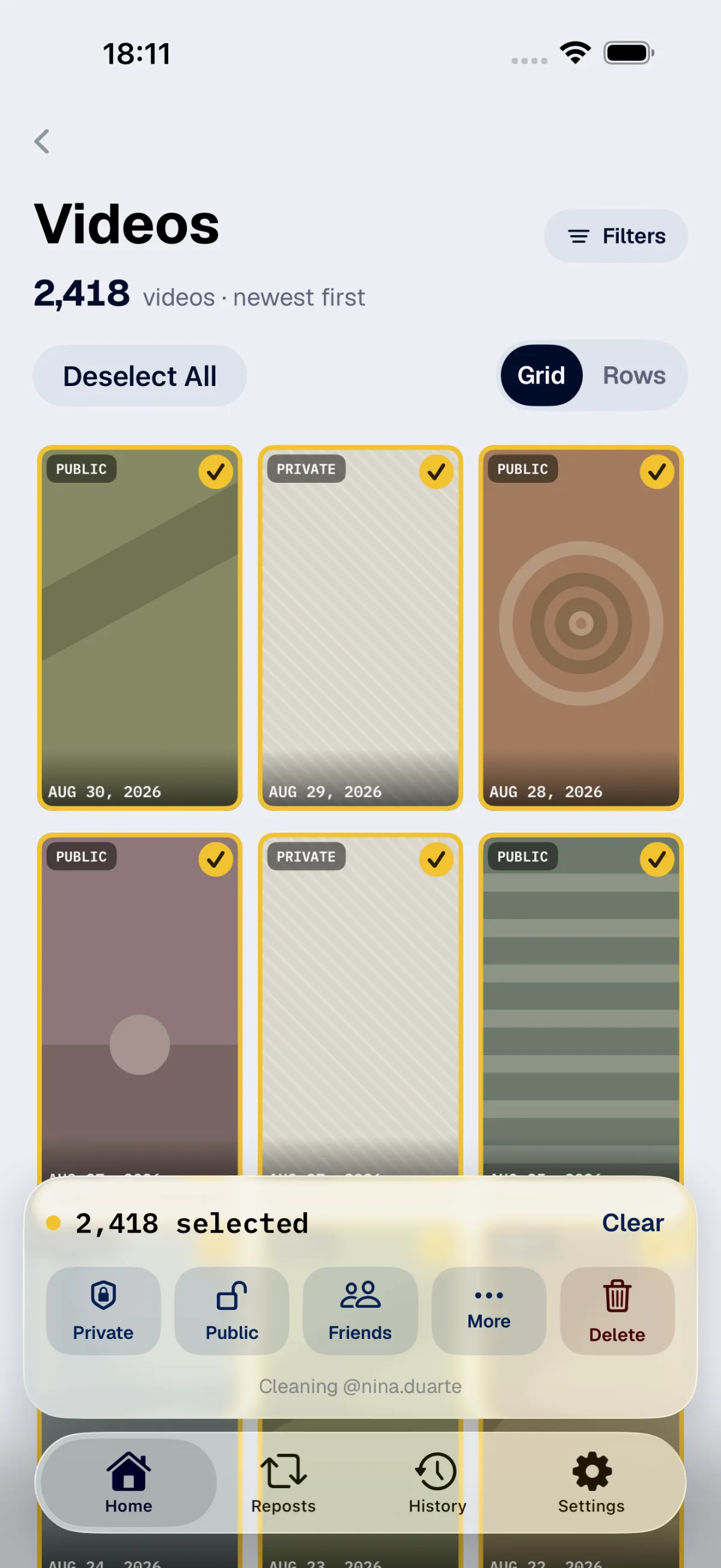
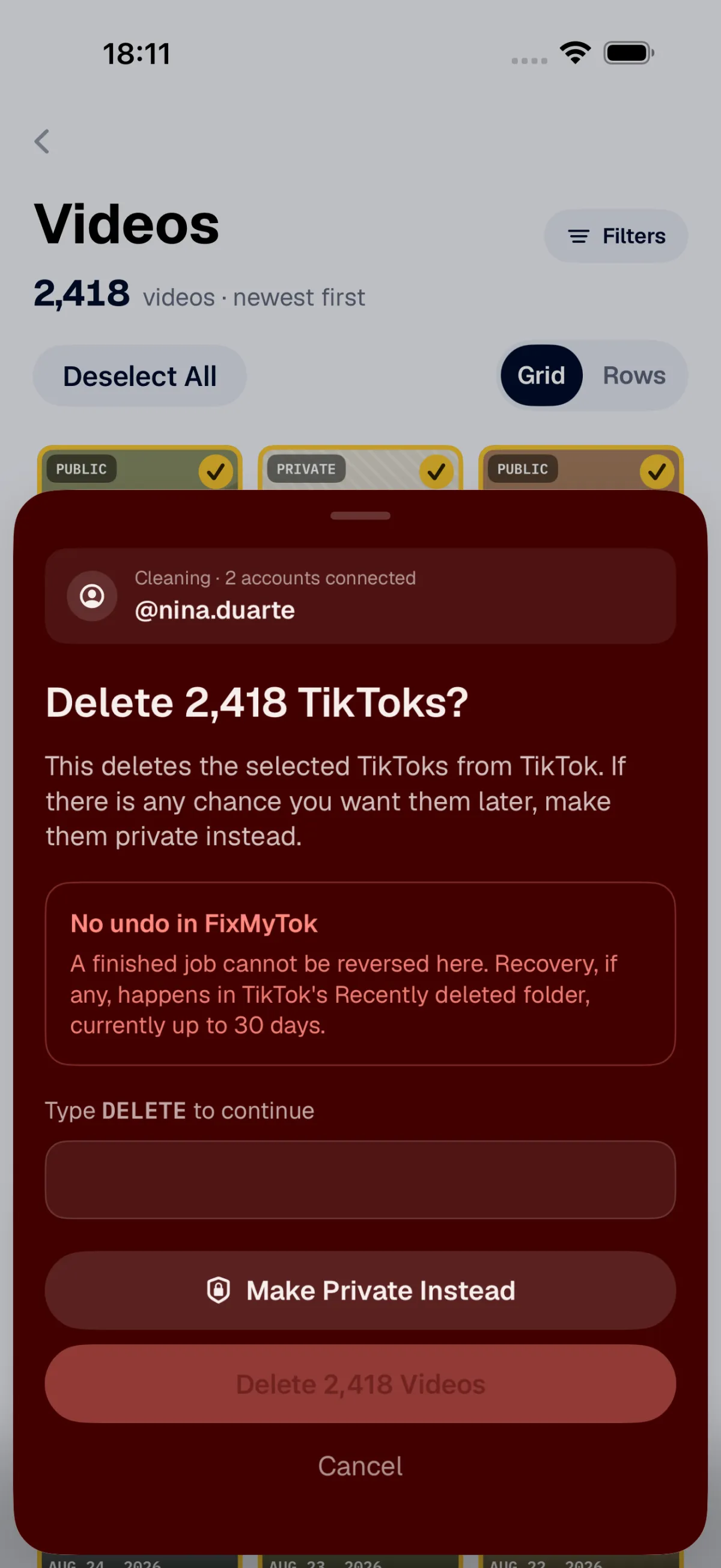
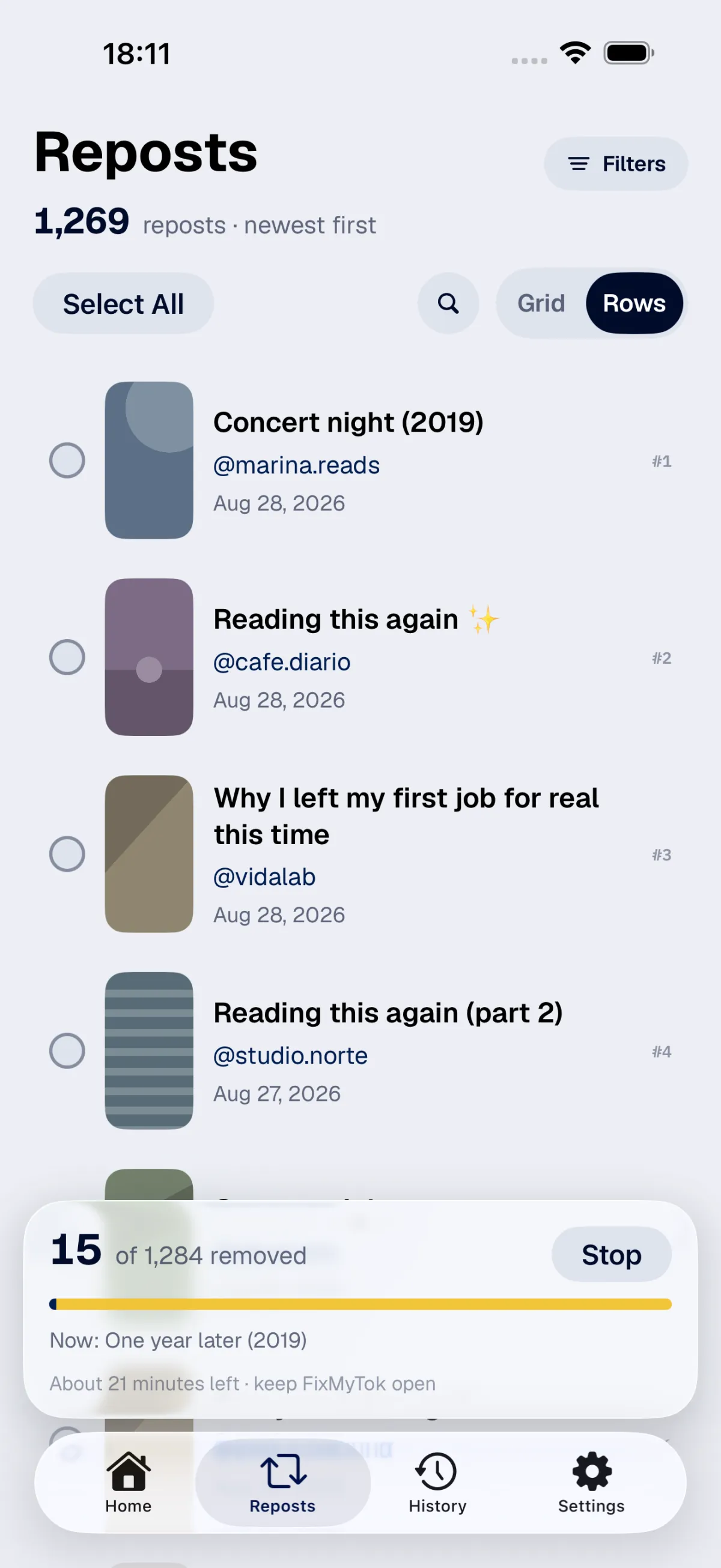
The app offers three actions that look similar but have different consequences:
- Make private is reversible. The video stays in the account but is no longer visible to other people. You can change its visibility in TikTok.
- Remove repost is also reversible. It removes the repost from the profile without changing the original video.
- Delete cannot be undone in FixMyTok. TikTok keeps videos in “Recently deleted” for up to 30 days, but TikTok controls that period.
Because deletion is the only option with no undo inside the app, batches of 50 videos or more require the word DELETE. The same screen also offers the private option.
I also had two requirements that I would not trade away. First, the app must not receive anyone’s password, so sign-in happens on TikTok’s page. Second, posts, reposts, covers, and cleanup history must stay on the device. The app communicates with TikTok to read the catalogue and run each action, but it does not send that content to my server.
A cleanup does not depend on one open screen. The batch is stored on the device and returns in a paused state if the app closes. It can also pause when the session expires or TikTok requests a security check. If some items fail, the app separates only those items for another attempt.
This does not make the process infallible. FixMyTok is not affiliated with TikTok and depends on its website. A change from TikTok can interrupt a cleanup until I update the app.
The App Store download is free. The free version lets you test the cleanup, while the subscription unlocks larger batches and more accounts.
Before deleting a video, it can be useful to know what it said. FindMyTok transcribes published TikToks on the device and searches the spoken words. One helps decide what is still worth keeping; the other handles what remains.